Gemini Notebook’s new study tools turn course materials into short videos, guided reviews and expanded quizzes with feedback.
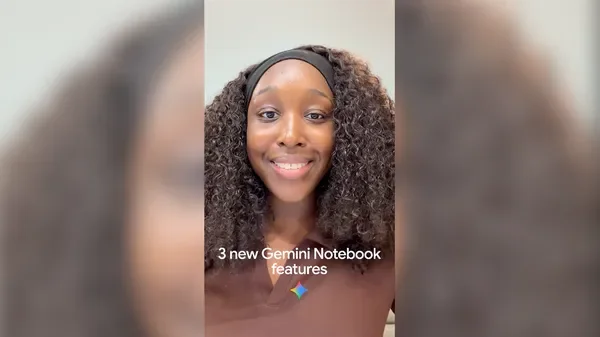
Gemini Notebook’s new study features are aimed at a familiar exam-preparation problem: having plenty of course material doesn’t mean knowing how to use it. Students can turn notes, lectures and readings into short videos, guided reviews and quizzes, then use feedback to decide where to spend more time. That shifts the task from gathering information toward working with it in different ways. The distinction matters. A summary can make material easier to scan, but questions and explanations ask students to retrieve and apply what they’ve learned.
Three ways to work with course material
- Short Video Overviews: Generate a 60-second video to explain a difficult concept. The clips are designed for quick viewing on the go or sharing with a classmate. A short explanation can give a student an entry point into a dense topic, especially when a page of notes feels hard to navigate. But a brief video has limited room for qualifications, worked examples and exceptions; it’s best treated as a prompt for further review, not as a replacement for the underlying course material. If you’re preparing for an exam, the useful question is whether the clip helps you explain the concept afterward without watching it again.
- Interactive Learning Overviews: Under Reports, combine notes, lectures and readings into a step-by-step review. Each overview brings together summaries and outputs such as slides, quizzes and flashcards, grounded in the coursework provided. Pulling those materials into one sequence may make it easier to see how a course’s ideas connect, rather than reviewing each document in isolation. The source material still sets the boundaries: the overview can only reflect what’s provided, and students should check its explanations against their notes and assigned readings when a detail matters. That’s a useful discipline with any system that reorganizes course content. A tidy presentation can feel authoritative even when it needs checking.
- More quiz formats: Test recall with short-answer, multi-select and fill-in-the-blank questions. After a quiz or flashcard review, students can request feedback to identify what to study next. These formats ask for different kinds of responses: recognizing a correct option isn’t the same task as producing an answer from memory. Feedback can help turn a review session into a plan, provided students treat it as guidance and verify gaps against their course materials. A quiz score alone doesn’t explain why an answer was wrong. The follow-up is where the tool may be most useful: returning attention to a specific topic instead of repeating the same material indiscriminately.
From storing notes to testing understanding
Many digital study tools begin as places to collect documents, links and notes. That solves an organizational problem, but it doesn’t automatically help a student remember or explain what those materials contain. Gemini Notebook’s new formats address the next step by reshaping supplied coursework into activities: watching an explanation, following a review, answering questions or working through flashcards. Here’s the thing: changing the format can make study feel more active, but activity by itself isn’t proof of understanding.
The strongest case for this approach is variety. A student who has only reread a chapter may not know whether they can recall its main ideas without looking. Short-answer questions and fill-in-the-blank prompts can expose that gap more clearly, while multi-select questions can test whether the student recognizes several relevant points. A video overview may help introduce a difficult idea; a quiz can then check whether it stuck. Used in sequence, those formats offer more than a stack of summaries.
There’s a practical limit, though. Generated study materials depend on the quality and coverage of the notes, lectures and readings provided. If a student leaves out an important lecture or supplies incomplete notes, the resulting review may also be incomplete. And a concise explanation can smooth over distinctions that an instructor expects students to understand. The tool can help organize practice, but students still need to judge whether the material matches the course’s emphasis.
What the features may mean for students
For students, the appeal is less about producing more study content and more about finding a next step when review stalls. A video can offer a quick explanation; a guided overview can group related material; a quiz can reveal which topics need another pass. If you’re working through a large set of course materials, that sequence may reduce the effort of deciding how to begin. And yet, the student still has to do the thinking: noticing uncertainty, checking explanations and returning to the source when an answer seems off.
(and this is the part most people overlook) A system that makes studying easier to start can also make it easier to mistake polished output for mastery. Familiarity isn’t recall. A student may recognize an explanation when it appears on screen but struggle to produce it independently during an exam. The more useful test is what happens after the screen is put away. Can the student describe the idea, connect it to the rest of the coursework and identify what remains unclear?
That makes the feedback feature potentially more consequential than the video format. A short clip is easy to consume, but feedback after a quiz or flashcard session can direct attention toward an identified weakness. The value depends on how clearly that feedback points back to the provided coursework and whether the student follows through. A study tool can suggest where to look; it can’t decide how much depth an exam requires.
A useful addition, with familiar limits
The features, announced October 16, 2026, are available at Gemini Notebook. The practical shift is from collecting study materials to using them in several formats that support review and self-assessment. That’s a sensible direction for a study product, because organizing information is only one part of preparation. Students also need ways to practice retrieving it and to notice where their understanding is thin.
This is more significant than it looks if the formats help students move from passive review to deliberate practice. Still, the feature list doesn’t establish how accurate or useful each generated output will be for a particular course. Students will need to compare those outputs with their actual materials and decide which format helps them learn, rather than simply choosing the most engaging one. A short clip, a structured review and a quiz can each serve a different purpose. The test is whether they help a student understand the coursework more clearly and recall it when it counts.
One step at a time. Start with a topic that’s difficult, use the format that addresses the difficulty, then check the result against the original material.

Discussion
Sign in to join the discussion.